
Stark County Court Docket Searches
Start with the Clerk of Courts' Online Case Docket Search, which hands off to CJIS. That portal covers participating Stark County court docket records. Know which court you need first. General Division Common Pleas, Domestic Relations, Juvenile criminal and traffic, and the municipal courts do not share one counter. Probate runs on a separate path. Picking the court before you type a name or case number keeps a blank result in one register from looking like a countywide answer.
Jot down the case number and court code. Those details help with an online docket search and with any later request to a Stark County clerk. A docket shows what happened, in order. A filed order or certified copy is a different record, and it may need a direct request.
- Open the Clerk-linked Stark CJIS search and choose the court that owns the matter.
- Choose a case type when known, then use the case number or the available name and date controls.
- Open Case Detail and read the dated docket entries in order, rather than relying on one status label.
- Check the newest entry and Next Action for a future setting, then confirm it with the responsible court if it matters.
- Ask the appropriate clerk for a permitted paper, filed document, or certification when the docket text is not enough.
Stark County CJIS Court Filters
CJIS earns its keep with filters. A Court control can narrow a Stark County docket search to CPC Common Pleas Court, CMC Canton Municipal Court, MMC Massillon Municipal Court, AMC Alliance Municipal Court, or FC Family Court. Then use the Case Type control. It limits the query to Civil, Criminal, or Traffic. The simple search box takes a case number, a name, or a filing-date search string. It requires at least three characters. A broad query can return up to 1,000 results. Filtering by court and case type usually makes the list far more useful.
| CJIS field | Use for a Stark County docket | Important limit |
|---|---|---|
| Court | Choose CPC, CMC, MMC, AMC, FC, or all courts. | Probate is not the ordinary CJIS route. |
| Case Type | Limit a search to Civil, Criminal, or Traffic. | Match the court that first received the matter. |
| Search string | Enter a case number, name, or filing-date pattern. | Use three or more characters. |
| Advanced search | Use optional name, date of birth, case number, court, attorney, or filing-date criteria. | Only enter facts needed to locate the public case. |
Guest access covers the public case-search and payment layer. That is enough for most docket lookups. A Standard Public User account adds published features such as saved cases and updates, though no account turns a CJIS display into a certified Stark County court record.
Court Dockets: What They Show
Think of a Stark County case docket as a timeline. The local rules speak of general case dockets, electronic journals, and indexes. CJIS Case Detail is built to show the case caption, court or assigned judge, case number, status, Next Action, and dated docket narrative. Financial categories appear where they apply. Criminal and traffic views add charge and sentence categories. Civil cases look a bit different. That view can show Filed On, the party and attorney table, and payment information.
| Case number | The Stark County court’s identifying number. General Division filings are numbered in a new consecutive series each year. |
|---|---|
| Parties and counsel | The caption and the party or attorney roles recorded by the court. |
| Docket entry | A dated description of a filing, service action, hearing, journal entry, order, or other event. |
| Next Action | The next listed case event. Confirm it when a court date is important. |
| Status or disposition | A case category or outcome indicator that should be read with the newest order or entry. |
| Document access | Guest access may not include each PDF or attachment. The docket entry can still identify the item to request. |
The Clerk FAQ offers historic examples: criminal 85-5001 and civil 85-007 starting numbers from 1985. They illustrate older indexing, not a claim about current prefixes or punctuation.
Stark County Probate Docket Split
Probate is a Common Pleas division. Still, its docket search runs on its own route. The Probate Court case-search notice sends open cases and anything begun on or after July 27, 2026 to JWorks. Older filings go to the Legacy Case Search. A blank CJIS result says nothing about the underlying Stark County record.
The legacy route accepts a last name, an optional first name, or a case number. Last names need at least two letters. Its complete index skips the marriage index before April 23, 1986. Images can be temporarily unavailable too. The Probate Court keeps its own records desk at Suite 501. Anyone needing an official probate document should contact that office rather than treat CJIS as the county's sole index.
Stark County Courts and Their Dockets
Court level decides who keeps a Stark County docket. The Court of Common Pleas holds General, Domestic Relations, Juvenile, and Probate divisions. Alliance, Canton, and Massillon run their own municipal courts. Each has its own clerk and territorial docket. A felony may begin with a municipal preliminary proceeding and then move to Common Pleas after bindover. An appeal creates another record in the Fifth District Court of Appeals.
| Court | Docket covers | Where to begin |
|---|---|---|
| Common Pleas General Division | Felonies and civil cases generally above $15,000. | CJIS and the Stark County Clerk Legal Division. |
| Domestic Relations and Juvenile | Family matters and juvenile work, with access limits for protected material. | CJIS where available, then the division’s Suite 690 clerk route. |
| Probate Court | Estates, guardianships, adoptions, marriage licenses, and related matters. | Probate’s separate search and records office. |
| Alliance, Canton, Massillon Municipal Courts | Traffic, misdemeanors, preliminary felony work, small claims, and limited civil matters. | The court’s CJIS filter and its municipal clerk. |
Ohio's judicial-system structure explains the jurisdictional framework behind these separate records. Use it as a map. It does not replace the court named on a citation, summons, or filed notice.
Stark County 1985 Docket Line
Online, the Stark County Common Pleas docket begins January 1, 1985, covering criminal, civil, Domestic Relations, and Court of Appeals records. Older matters take a different route. The Clerk directs index research to the sixth floor of the County Office Building at 110 Central Plaza South, Suite 690. Bring or provide a party name, estimated filing year, case category, and any known number. The office will not promise an undefined historical search.
The date matters. The courthouse's paper history is far older than the computer index. The present courthouse went up in 1895. It was renovated in the 1990s. That age makes the historic index route a practical piece of local docket access. It is not just background.
The court's history page places the Stark County courthouse record system in that longer civic setting.
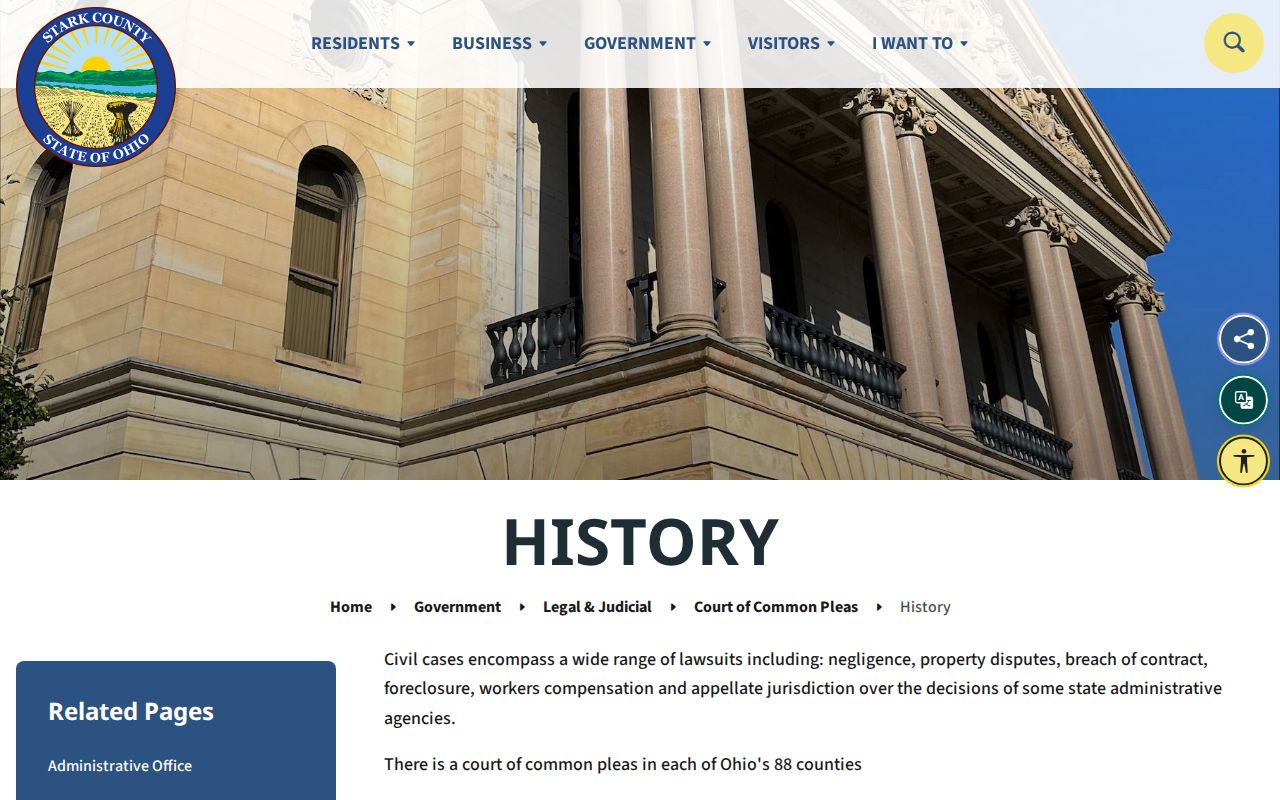
Old cases live in paper. The physical index and the responsible clerk often beat an empty online Stark County court docket search.
Court Dates and Settings in Stark County
No single countywide calendar search exists for Stark County. The reliable path runs through the case docket itself. Then go to the court or clerk that owns the case. On CJIS, check Next Action and the newest dated entry. A hearing line from months ago may describe an event that already happened. A continuance or a journalized order can shift a setting without fanfare. Calendars help with planning. The live case record and the court's own direction still control.
The Common Pleas FAQ allows a status check online or by phone. Call the Clerk at 330-451-7801. General Division administration sits at 330-451-7931. The criminal and civil divisions each run their own direct lines. Want more on resets? For a fuller walk through Stark County hearing settings and reset checks, see the court schedule.
Note: Call a Stark County office to confirm a setting. Have the case number ready, plus the date of the newest docket entry.
Stark County Next Action Field
CJIS labels one field "Next Action." Stark County readers find it handy. Treat it as a pointer, not a promise. It can still move or resolve differently. Read the field beside Case Status and the dated docket register, since an arraignment, motion hearing, status conference, jury trial, sentencing, or journal entry each plays a distinct role in the record. The date on the item, any later order, and the assigned court all shape what the label truly means for a Stark County case.
- Continuance
- A postponement. Look for the later order or event that gives the replacement direction.
- Journal entry
- An official court decision or directive entered in the journal by the court or clerk.
- Disposition
- The recorded outcome or status. The related order gives the exact legal effect.
- Setting
- A scheduled court event. Confirm a time, courtroom, and type with the responsible Stark County court.
Honor Court shows how a specialized docket keeps its own rhythm. Its status-review hearings run on the second and fourth Friday of the month. That schedule belongs to the program, though, and never replaces the current docket entry on a specific case.
Docket Access Under Ohio Law
Ohio treats court records as open under the Rules of Superintendence. Some records stay restricted by rule or statute. Openness has limits. Walk-in access must be handled reasonably. Remote access is optional, though, and may leave out certain attachments. That split explains a familiar Stark County pattern: a docket shows through CJIS while a filed image, a personal identifier, a juvenile item, or a sealed record does not.
Ohio access rules:
Sup.R. 11.10 presumes public access to court records, subject to controlling restrictions.
Sup.R. 11.11 through 11.14 address direct access, optional remote access, protected identifiers, and restrictions.
Ohio Revised Code 149.43 governs public-office records and clear public-record requests, while court files also follow the more specific court-access rules.
Ohio Revised Code 2953.32 governs eligibility and timing questions for certain sealing and expungement matters.
Restricted adult records, juvenile files, adoption material, domestic protective items, and personal identifiers are closed for a reason, not puzzles to outsmart. A blank result can also mean something simpler. The search may have hit the wrong court, skipped a separate Probate route, missed an older index, or run into a portal issue.
Stark County Docket and Certified Copy
Three things get confused in Stark County: the docket register, the filed document, and the certified copy. CJIS serves as the navigation layer. It shows events and names the judgment, motion, subpoena, or order involved. A guest view may not deliver the associated PDF. A certified copy is different in kind: it is an authenticated record issued by the custodian, not anything a search screen produces.
The Clerk Legal Division posts its copy prices plainly. Plain copies run $0.10 per page. Certified copies cost $1.00 per page, and certification of a document runs $1.00. A mail request needs party names and the filing year. It also needs a $5 check or money order payable to the Clerk of Courts, plus a self-addressed stamped envelope. The page does not say whether that $5 is flat or an advance on copying. Call ahead with your record details. The Clerk Legal Division page lists the office's record functions and published fees.
The clerk's CJIS and e-filing links point to another split worth knowing. Reading a public docket and filing electronically are separate paths, and a Stark County visitor should not expect one login to cover both.
How the Clerk Keeps Docket Records
Lynn M. Todaro serves as Stark County Clerk of Courts. Her office files, dockets, indexes, and preserves pleadings across civil, felony-criminal, and Domestic Relations cases. The Legal Division's civil and criminal counters sit at 115 Central Plaza North, Suite 101. Domestic Relations, appellate, juvenile criminal, and juvenile traffic records all route differently. They go through Suite 690. Knowing that division map helps a docket question land with the office that can actually pull the record.
Stark County Clerk Legal Division
115 Central Plaza North, Suite 101
Canton, OH 44702
General case status: 330-451-7801
For General Division civil records, use 330-451-7795; for felony criminal records, 330-451-7929. Probate keeps a separate office and its own search path. Municipal clerks hold their own court records too, even though CJIS offers a shared public entry point.
Stark County Court Structure Image
The Supreme Court of Ohio's court-structure overview lays out the statewide framework behind any Stark County records search.
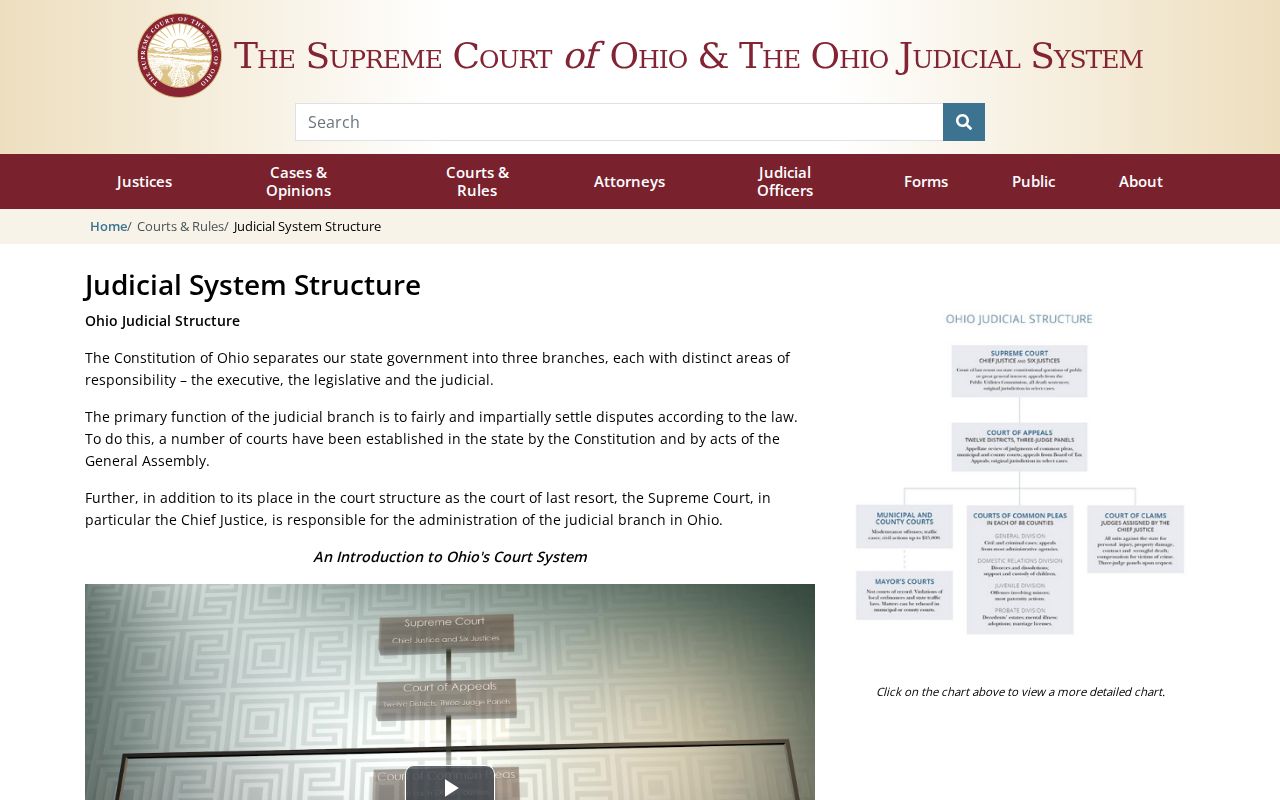
That framework answers two common questions. It shows why a Fifth District appeal file stands apart from a Stark County trial-court docket, and why municipal courts keep records of their own.
City-by-City Court Dockets in Stark County
The 2020 Census ranked Stark County's five largest incorporated cities: Canton, Massillon, Alliance, North Canton, and Louisville. Canton, Massillon, and Alliance each run municipal-court routes in CJIS. North Canton's Mayor's Court closed. Current ordinance and traffic matters now go to Canton Municipal Court. Louisville still holds a Mayor's Court for city ordinance and traffic cases. It has its own calendar and payment route. Trust the court named on your notice or citation, wherever you start.
Canton Court Records
70,872 people in the 2020 Census. Canton Municipal Court uses the CMC CJIS route.
Massillon Court Records
32,146 people in the 2020 Census. Massillon Municipal Court uses the MMC CJIS route.
Alliance Court Records
21,672 people in the 2020 Census. Alliance Municipal Court uses the AMC CJIS route.
North Canton Court Records
17,842 people in the 2020 Census. Current court matters route to Canton Municipal Court.
Louisville Court Records
9,521 people in the 2020 Census. Louisville Mayor’s Court handles its local ordinance path.
The Census Bureau's Stark County profile supplies the population backdrop for these city court routes.
Population ranking picks the city pages. It never picks the right docket custodian. For that, the citation or case notice in hand remains the best guide.
Stark County Common Pleas Docket
The Court of Common Pleas General Division is the county's trial court, handling felony criminal cases and higher-value civil matters.
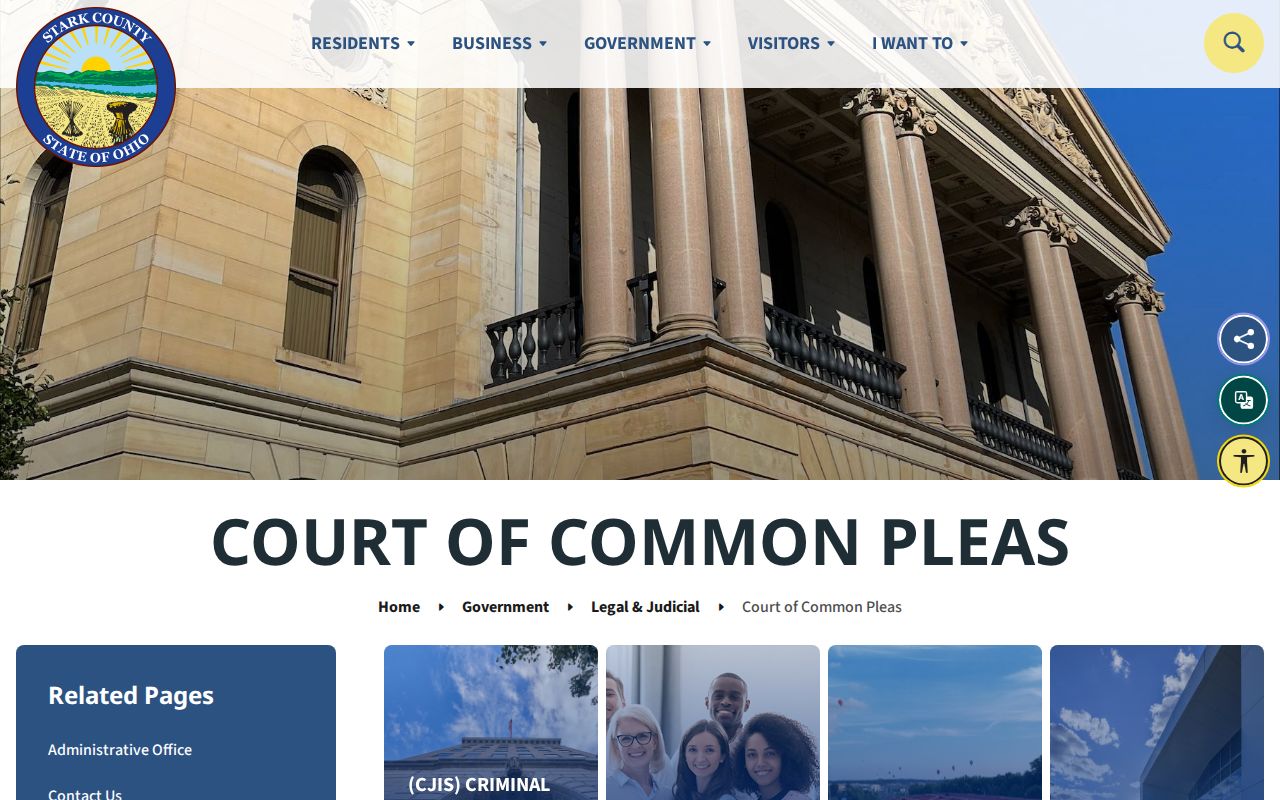
For a Stark County case in that division, CJIS and the Clerk Legal Division split the work. The docket shows the case activity, while the responsible clerk provides direct access to the record itself.
Map and Directions to the Stark County Courthouse
Common Pleas General Division hearings and felony/civil-over-$15,000 filings are at the courthouse, 101 West Tuscarawas Street in downtown Canton, at the corner of Market Avenue and Tuscarawas Street. The Clerk of Courts' Legal Division counter, for civil and criminal record work, is nearby at 115 Central Plaza North, Suite 101. Domestic Relations, the Fifth District appeals desk, and Juvenile Criminal/Traffic filings are at 110 Central Plaza South, Suite 690, and Probate is at the same building's Suite 501.
Stark County Clerk of Courts, Legal Division
115 Central Plaza North, Suite 101
Canton, OH 44702
Civil: 330-451-7795
Monday through Friday, 8:30 a.m. to 4:30 p.m.
Domestic Relations, Appeals, and Juvenile Clerk
110 Central Plaza South, Suite 690
Canton, OH 44702
330-451-7792
Limited metered parking sits behind the courthouse on 2nd Street NW, and the Millennium parking deck is at the northeast corner of Market Avenue and 2nd Street NE. Accessible parking is behind the courthouse off 2nd Street NE and requires a buzzer to alert staff. The court's own pages do not confirm a public-terminal location or a general security policy, so call the main office at 330-451-7931 before a visit to confirm current entry procedures.